Seedfire connects your people to the servers, firewalls, cameras and desktops behind NAT at every site — with zero public ports and no VPN. Certificate SSH and one-click RDP, a self-service portal for your users, and a control plane that runs on a box you own.
Devices dial out to your Seedfire server over an encrypted tunnel. Nothing on the site firewall is opened; the only public ports are on the server you control.
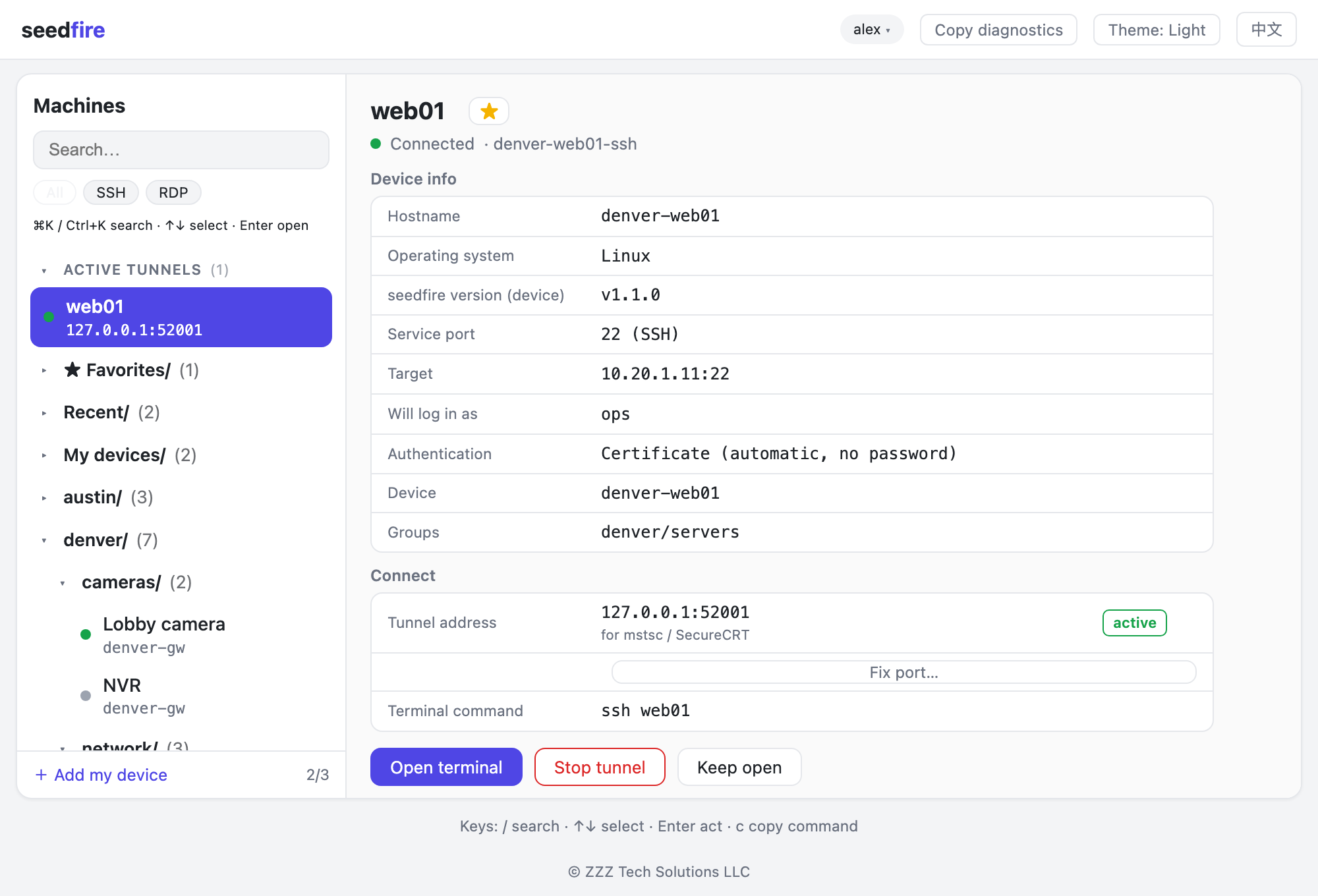
Short-lived certificates issued by the built-in CA — no shared passwords. RDP opens a local tunnel and launches your client in one click.
Seedfire.app for macOS and Windows with a tray icon, background tunnels and in-place self-update; the seedfire CLI for scripts and servers.
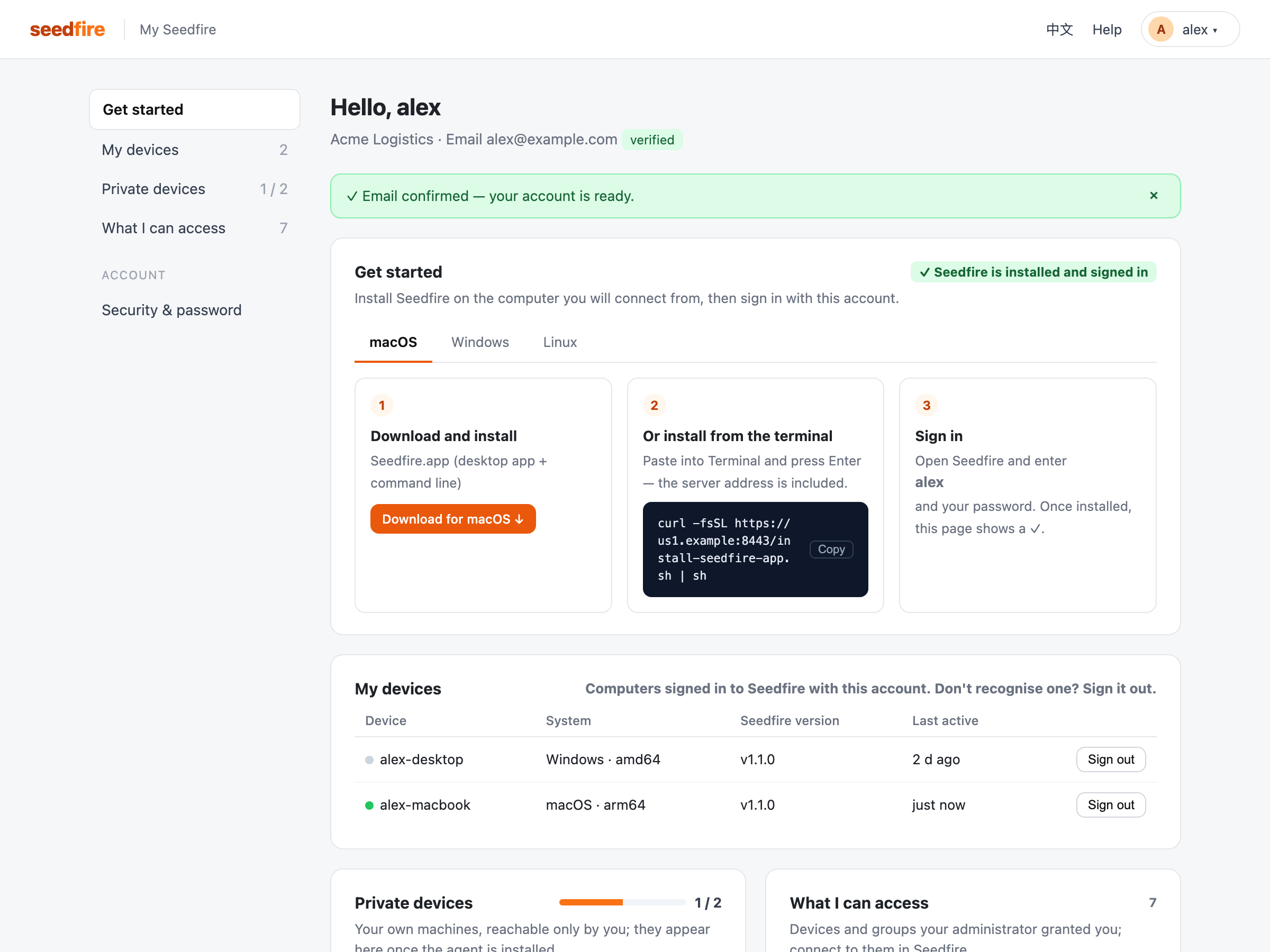
Users sign in with Google, GitHub or email, enable 2FA, install the app and see exactly the devices they were granted — nothing else.
Every device has its own credential that can be revoked instantly. Who connected to what, when, is in the audit trail.
Push agent upgrades to all your devices in batches with health checks; servers can follow, pin or hold a release channel.
Three steps on the Get-started page: download, sign in, connect. The portal shows what the person may reach, which computers are signed in, and lets them manage their own password and 2FA.
Switches, wireless controllers, firewalls and the odd Windows box in a closet — managed by a central IT team without site-by-site VPNs or port forwards.
A single on-site device can publish neighbors on its LAN (an NVR, a camera, a PLC) without installing anything on them.
Give a contractor access to one RDP target for one project; revoke with a click; the audit trail keeps the record.
Try the hosted edition at seedfire.org, or ask us about a private installation and a site walkthrough.
Or write directly: sales@zzztechs.com